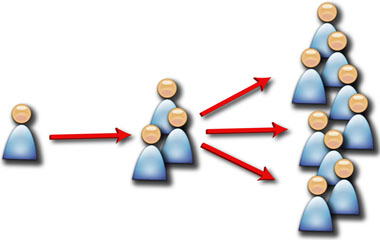
Lesson 1 is about building your network on LinkedIn from your existing contacts. Take your hotmail, gmail, outlook, or whatever email address book you use – and process it against LinkedIn. Almost every address book will allow you to export the contacts in a format that LinkedIn can read.
Why is this important: Adding all your contacts (even if you've got them scattered across 4 different address books in Plaxo, Gmail, AOL, and Outlook) is important for the next few steps. As you seek referrals to CEOs, you'll leverage the natural connections your existing network already has to those individuals. If you don't add all your contacts, then you'll never see the connections and be able to effectively leverage warm-to-hot referrals. Our initial focus is just on the contacts who are already on LinkedIn. Persuading your members, TAs, and other contacts to use LinkedIn for the first time is a very long term strategy. We'll pick off the low-hanging fruit in this Lesson by focusing on those who are already bought into the idea that LinkedIn is a valuable tool. Hopefully, a large number of these individuals have already processed their address books into LinkedIn. The basic purpose of LinkedIn is that it allows you to see and leverage the natural networks of your direct connections.
A little note about "quid pro quo": You may have your privacy settings set to prevent everyone whom you are connected to in your network to only see the connections you share in common. My recommendation is to open up all your connections for viewing by the contacts whom you have a one-to-one direct connection. Keeping your privacy settings at a high level and preventing others from seeing your connections defeats the entire purpose of a tool like LinkedIn. Why should I share my entire rolodex with you if you're not going to share your rolodex with me? If you desire access to the connections/network of your direct contacts, you've got to be open to sharing. Remember - only those individuals whom you choose to be directly connected to will be able to see your connections. Random people viewing your profile cannot see your connections unless they are a 1st level connection to you.
Verify you have set your privacy settings to allow any direct one-to-one (1st level) contact to see your connections by clicking your name in the very top right portion of the LinkedIn screen. Chose "Settings" in the drop down. LinkedIn may ask you again for your password. Under the privacy section of the settings screen, click on "Select Who Can See Your Connections". There are only two choices: either "Your Connections" OR "Only You". Select "Your Connections" and click "Save". Now others whom you are connected to will feel comfortable sharing their connections with you.
A couple of screenshots of the LinkedIn Options/Pages for having LinkedIn check through your address book for contacts that are already on LinkedIn are below:
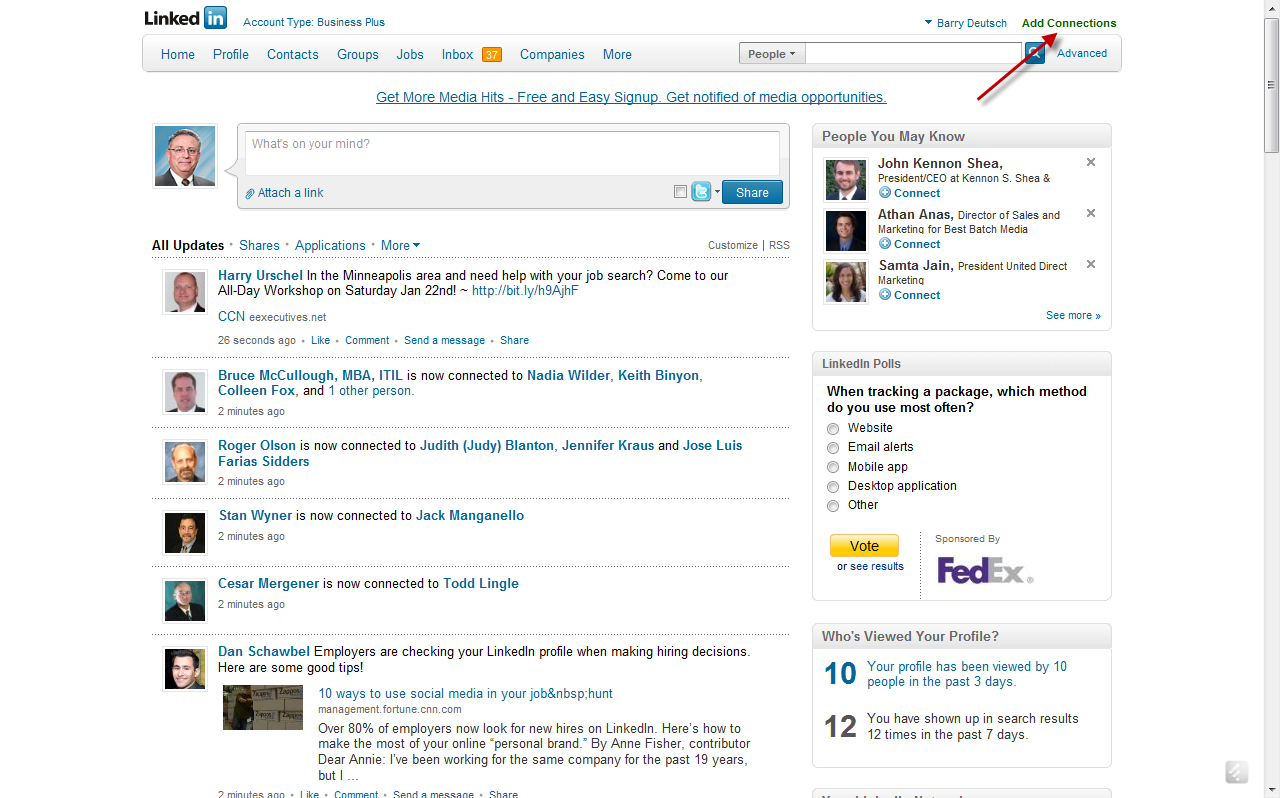
You would start the process by clicking the "add connections" button in the upper right hand corner of your "home" screen.
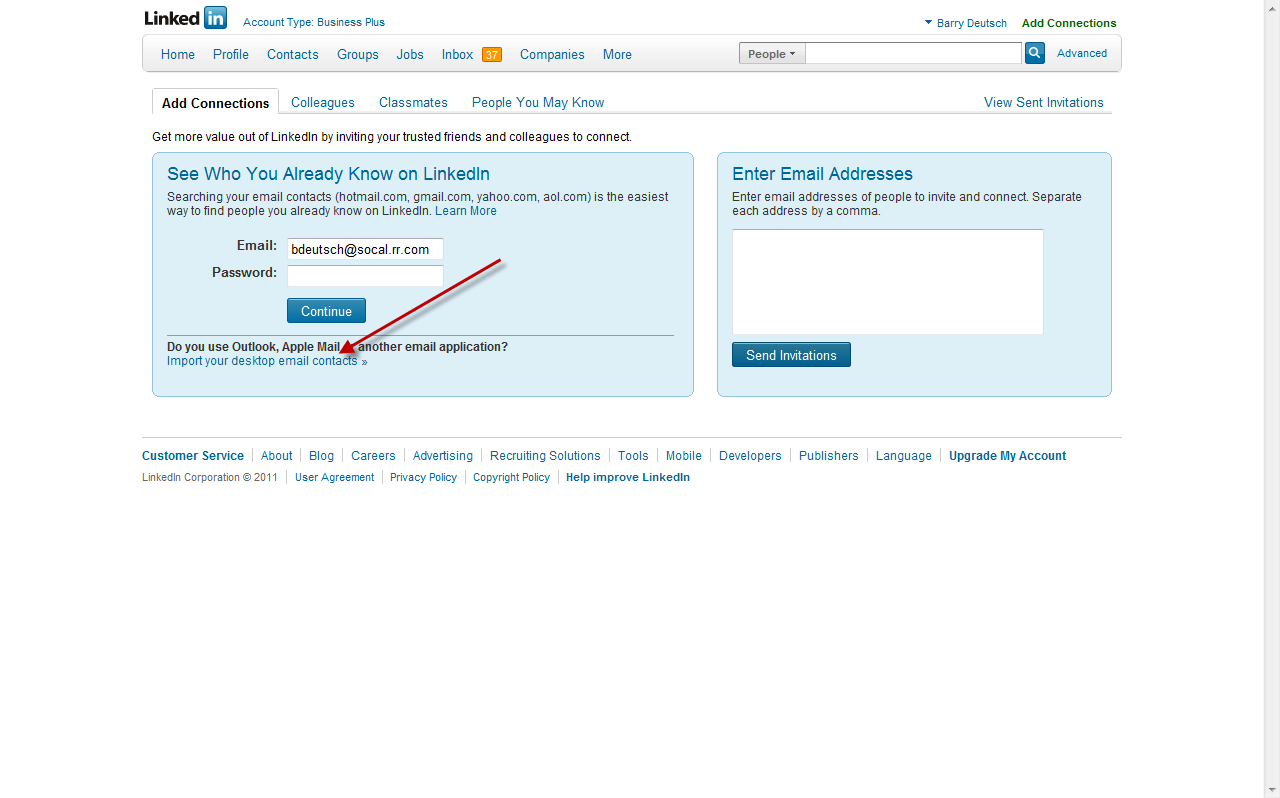
Linkedin then gives you a variety of options to upload your contacts and process them into LinkedIn, during which LinkedIn will look for which people you know already have a LinkedIn Account. If you keep your contacts in a desktop application like Outlook, you'll first have to export your contacts into a file and then upload them into LinkedIn. Instructions are provided on the site. If you keep your contacts in web-based program, such as gmail or yahoo - you can process the contacts directly into LinkedIn.
Now you're at the stage where LinkedIn will show which contacts are on LinkedIn and which ones are not. LinkedIn can either send a standard message to every person on your list that is already on LinkedIn. I choose not to do it this way since it’s so impersonal. Instead, I take each of those contacts which LinkedIn stores under uploaded contacts (that it found are already on Linkedin) separately and I go one-by-one through the list sending a unique message that tells each person how I know them, when we meet, something about them that would want to compel them to connect with them.
IMPORTANT NOTE: If 5 people whom you have sent an invitation to indicate that they do not know you - LinkedIn will lock your account and you'll have to know the person's email address to send a connection invite. The more you can elaborate in your message on how you know this person - the higher the probability they will not click the dreaded "I do not know this person" button. If your account does get frozen for connection invites, you can usually send a note to customer service asking for it to be restored. Unless you're abusing the connection invites, LinkedIn will restore your account.
I find the invitation to connect "acceptance metric" is much higher when the note is personalized. This takes a little longer to do – especially if you have a lot of contacts.
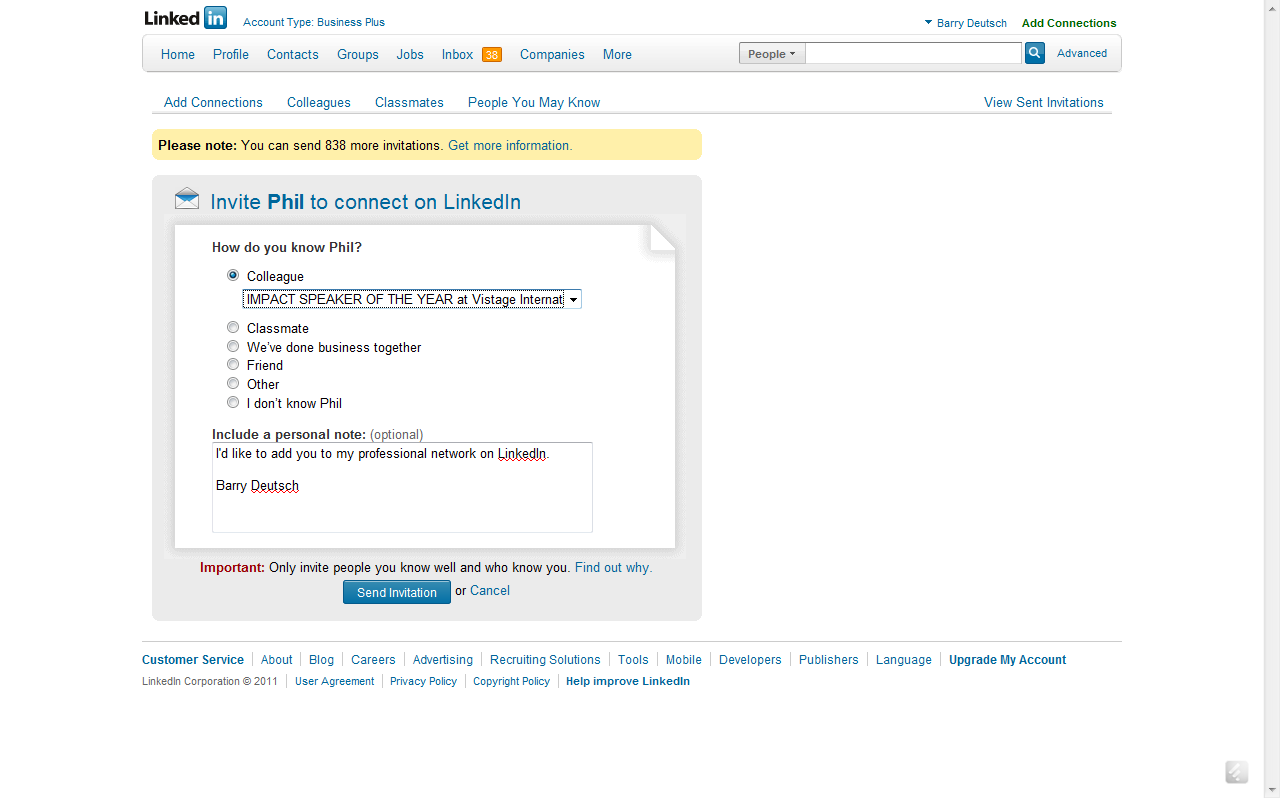
I would recommend taking an initial 15-30 minutes and processing your email address book into LinkedIn. Then do 10 personalized invitations to those contacts. Try to set a goal of doing 10 every day - writing personal connection notes - until you’ve worked through your entire email address book now on LinkedIn.v
An example might be if I am trying to connect with a member who saw me present one of our programs. I might say something like "We met 6 months ago at your Vistage Meeting when I presented our "You're NOT the Person I Hired" Program. I would be honored if you would consider accepting my invitation to join my professional network on LinkedIn.
Lesson 1 Action Item
1. Process your address book against LinkedIn to see which of your contacts are on LinkedIn
2. Send a Personal Note to 10 of your contacts inviting them to connect with you
Lesson 1 Discussion Points
In the LinkedIn Chair Discussion Group for Leveraging Social Media, please share with the group what you’ve done in working through integrating your address book into LinkedIn.
Problems, issues, concern, “how do I do this?”.
What’s your experience with having contacts accept your invitation, especially given the fact that they are already on LinkedIn and they are in your address book?