Lesson 3 Overview
Lesson 3 is a continuation of obtaining SaaS tools and starting to use them that will help you to be more successful on-line. There is an overwhelming about of ideas, inspiration, quotes, blogs, articles, key thoughts that you will start to stumble across as you start to use social media and networking more actively.
The first element of this Lesson is to consider how can you be more efficient about where to store this overwhelming amount of information you'll want to save as reference information. Where do put this stuff? Are you using ancient storage methods such as tagging a web page in your favorites folder in your browser?
OneNote/Evernote
My primary approach is to use a tool called OneNote, which is a real hard-drive based software product for the tagging, categorization, and storage of information. I like OneNote because many times I am on an airplane traveling to/from an interview for my executive search practice or a speaking engagement and I do not have access to the Internet. I want to be able to retrieve my most important saved information.
If that's not a concern and you're not booking 100,000 miles a year or more in the air, then a SaaS solution might work better. An excellent tool is Evernote. Some of you might be using something entirely different - if so, please share it with the e-Course class in the LinkedIn Discussion Group.
What do I store in OneNote/Evernote?
I use it as a journal to store ideas under various topics, brainstorming, to-do lists for projects, clipped pages, paragraphs, quotes, pictures which I find interesting as I travel the Web and think "that's something I might want to refer back to at a later time."
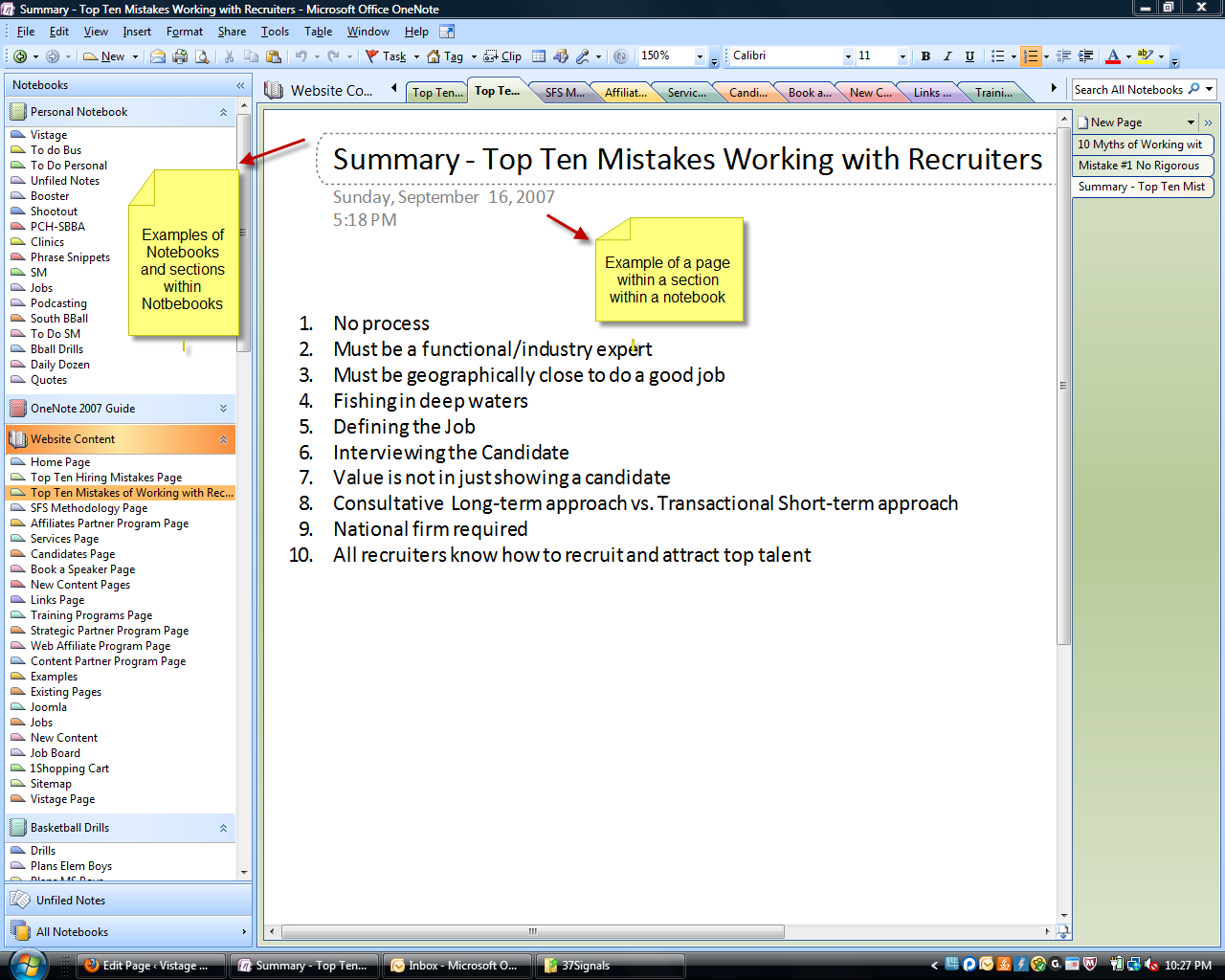
Below is a screenshot from my OneNote Application illustrating a project I was working on for an article titled "The Top Ten Mistakes Companies Make in Selecting Recruiters". You can see the hierarchy of how it cascades down from a Notebook to a Section in a Notebook to a Page within a Section. You'll see in this screenshot other notebooks-sections-pages I've set up to store some of my information. You can embed anything in a page - a website screenshot, a link, text, graphics, audio, and video.
Lesson 3 Action Item
Obtain a journaling-information storage tool like OneNote, Evernote, or any others that you've found particularly useful.
Lesson 3 Discussion Points
What do you use to store information in an easily retrievable place with simple categorization or tagging to find it later?
What's been your greatest frustration in trying to find and retrieve information you remember seeing at one point - either on your hard drive or on the Internet?
Flip the last question - what's been your greatest success in finding a key piece of information you wanted that was buried on your computer in some odd sounding folder? What did you use to find it? How did you make sure you wouldn't lose it again?
Have you ever stored an article, link, or some other content and then used that stored information to send to your network?