Course Announcement for Finding New Members

Discover in this virtual Chair Course How to Efficiently Find New Members

I’m looking for Chairs who want to learn how to efficiently find new members.

In my last blog posting, I mentioned that I would be creating a virtual course for a small group of chairs to find new members. This course is based on my decade of experience working with chairs, improving the chair interview process, privately coaching chairs around the world on acquiring members, and the program I teach to the Chair Groups on Finding New Members.

Layered on top of all that experience in the Vistage/TEC community is a 3-5 year project in which my partner, Brad Remillard, and I have established a worldwide expertise in the leveraging of social media and social networking in recruiting – more commonly referred to as social recruiting.

As an aside, Brad and I are developing a new program/speaker presentation which we plan on rolling out in 2011 on how to use social recruiting to hire great talent. This program joins our other popular programs, such as “You’re NOT the Person I Hired”, “Advanced Interviewing”, and “You’re the Person I Want to KEEP”.

So, now that I’ve established my credentials for leading this virtual course on “HOW TO FIND MEMBERS THROUGH SOCIAL MEDIA”, let’s talk about what we’re going to do in the course:

How can you sign up for this course?

To keep the course group size manageable, I am only taking the first 25 qualified chairs to raise their hands. What do I define as qualified? Qualified for the course means you’re willing to invest the time required to do the various projects in this course, such as creating a blog, writing blog articles, establishing a “killer” profile on various social media sites like LinkedIn, Plaxo, Twitter, and Facebook. We’re going to work on dramatically expanding your network and visibility to CEOs in your local community. We’re going to focus on how to use content with newspapers, universities, publishers in your local community to establish you as the authority on CEO related issues.

The course is going to be a crash course over 30 days in how to find members. It will require an investment of 5-10 hours a week for 4 weeks. By the end of that time, you’ll have the foundation set to start building a pipeline of abundant referrals.

Long-winded explanation that if you want to take this course, you’ve got to be willing to invest the time to implement what we recommend. If not, it’s a waste of time.

Send me a note if you would like to participate. As I indicated above, the selection method is basically going to be first-come, first-serve. You can reach me through Vistage Village, LinkedIn, or directly on email. If you would like to see the course plan (with all 30 days described in glorious detail) send me a note.

I plan to kick off the first session of the course within the next two weeks.

Barry Deutsch

Stop Being Invisible to CEOs in Your Community

Do you blend into the background and remain invisible to local CEOs or do you stand out in a crowded field?

Are you invisible to the vast majority of CEOs in your local community?

Why do Chairs struggle to find members?

I've spoken to a lot of chairs over the last few years through my Chair Group Program on How to Find Members, Chairs that are struggling to build their groups, Chairs that consistently have full groups, and Chairs that failed to meet Vistage/TEC expectations of group size. I've pulled together a lot of research on why chairs are either successful or unsuccessful when it comes to obtaining referrals for their group.

The title of this blog posting sums up in a few words my basic findings. Most Chairs are invisible in their local communities to CEOs, Presidents, or company owners/founders.

I find many chairs "defer" or  consider "marketing to this CEO level community" to be getting a referral from an existing member and then trying to convince that person to agree to a "telling session".

OR some chairs want to rely on the brand recognition and awareness of Vistage/TEC to help them drive potential members into their lap.

Neither of these are going to work effectively by themselves if you want to have an abundance of great referrals, a pipeline full of great prospects, and a waiting list of people begging to get in your group.

Now - don't get me wrong. You have to work at getting referrals and then move those referrals through your pipeline. This process of working referrals and contacts is NOT marketing. We can call it a lot of different things and put euphemistic sounding phrases around it - in the end it's simple direct selling - not marketing. Marketing in my vocabulary is the process of building your reputation, personal brand, awareness, and driving potential members into your sales funnel/referral mechanisms. Marketing as a Chair is "softening" up potential prospects to be open to a referral.

I also think Vistage/TEC is a tremendous brand and carries great authority/recognition once people are aware of the organization. As many of you know -I'm tied to the hip with Vistage/TEC, having created the Chair Assessment Video Interview, developed a Chair Group Training Program for finding new members, and coaching quite a few chairs around on how to find more members. I love the Vistage/TEC organization.

However, depending primarily on Vistage/TEC to drive prospects to you and depending on your existing members to get you referrals is NOT going to be enough "marketing" to help you hit your group membership objectives on a consistent basis.

The Primary SECRET to being visible to CEOs

I'm going to suggest that the primary method by which you are going to achieve your membership objectives is to establish your personal BRAND in your local community - whether that be the Southbay in Southern California or the Raleigh area in North Carolina - you must be seen as the best solution for CEO coaching in a very crowded and competitive field. Everytime someone goes looking for CEO-level expertise, coaching assistance, coaching help, CEO-level content aimed at a Vistage/TEC size company - you're the in the top 3 of web searches, referrals, content, and information that pops onto their radar screen.

What's the one basic secret you can easily use to achieve this recognition of being one of the top resources for CEOs in your local community?

THE SECRET IS THAT YOU DO IT THROUGH CONTENT.

Content you already have at your disposal. You don't have to make up anything new. Depending how on large your group membership objectives are - you might spend a minimum of 3 hours a week up to 5 hours a week on Content Marketing - including both the creation and management of your content, and the distribution of your content.

Once you've got your content machine cranked up - you can then re-purpose and leverage that content for personal branding, reputation building, pr, establishing your authority and expertise as a CEO Coach. You can also reuse much of that material in your direct selling efforts once you've captured a referral.

The goal should be in your local community that over a 6 month to 24 month period, you've produced enough great content that you're the "go-to" person in your local community for CEO level coaching and advice.

This is not an earth-shattering approach. It's nothing new. For any personal service provider, such as a Vistage/TEC Chair, a Recruiter (like me), a lawyer, CPA, benefit consultant - it is the number one, quickest, most efficient, highest leverage marketing activity you could implement.

I'm curious why more Chairs have not taken advantage of this simple approach to marketing:

Is it a time investment issue - you don't want to spend 3-5 hours a week on marketing YOU

Is it knowledge issue - you're not sure where to start and no one has the content in one place to help you?

Announcement: VIRTUAL CHAIR COURSE ON FINDING MEMBERS

I'm going conduct a course or class for a small group of Vistage/TEC Chairs to PROVE this model of marketing is the most efficient and effective method in raising the number of great referrals you get for your group. I'm taking the first 25 Chairs that raise their hand to participate in this virtual class.

How will we prove it's successful? We're going to track the number of referrals you've generated in the last 6 months outside of your existing members and we're going to measure the number of referrals you generate in the next 6-18 months. I plan on using the success that the Chairs in this course/class generate and presenting it to the entire Chair community as a case-study in effective marketing.

The format will be a series of exercises you'll complete to begin content marketing, special tools you'll use to leverage your time, and an occasional phone conversation to discuss membership marketing issues. The course will be a 30-day crash course in rapid membership marketing and referral generation.

If you've already got plenty of referrals, you win awards and recognition for having full groups, and you don't have a problem consistently filling your pipeline with prospects - then obviously this course is not for you. Whatever you're doing - it's already working great - don't change it.

But if you're not getting enough referrals, you're not winning awards and recognition for group membership, and you're struggling to consistently fill your pipeline, this virtual course might just be the ticket to success in developing full groups.

By the way, there is no charge or fee for this course. The only thing I ask in return for you joining the course is a willingness to invest the time to do the exercises and follow the recommendations. You're probably going to spend anywhere from 5-10 hours a week for the next 4 weeks on this class. Once you've moved through the class your on-going time investment will probably be 3-5 hours a week.

If you would like to sign up for the virtual class/course on Marketing to Find Members, send me an email note either directly, through LinkedIn, or on Vistage Village,  and we'll have a conversation to determine if this class/course would be a good investment of your time.

Barry

Networking Events - Add to Your Toolkit for Finding Members

Jason Jacobsohn, writing on his blog, Networking Insights, reminds us of the need and value of attending networking events.

Even for the most introverted networker, these are important events to connect with CEOs/Presidents/Trusted Advisers.

Jason lists these 5 benefits of attending networking events:

  1. Opportunity to meet many new people
  2. Opportunity to reconnect with existing relationships
  3. Opportunity to practice/fine tune your personal introduction
  4. Opportunity to connect people together in person
  5. Opportunity to share your expertise with others

The range of networking events could be at your golf club, business club, civic organization, non-profit, trade association, or community sports organization like the YMCA, Soccer Parent Volunteers. These are great programs to meet others in your local community who have hobbies, passions, children's activities that are similar to your interests. In the last decade, I've probably met and networked with over 15-20 new CEOs or Company Presidents just through my involvement in organizations like AYSO Soccer, my local city park and rec volunteer organization for basketball coaching, the high school basketball booster club, the local organization sponsored by the PTA for passing a school bond issue, a professional consultant's networking group, my business club in Orange County CA, and the list goes on.

Are you leveraging networking meetings on many different levels in your local community to meet CEOs and Presidents for your groups?

Barry

More Tools for Leveraging Time

Here are some other interesting tools that a number of Chairs have told me they use on a regular basis and consider to be among their favorite tools for managing information and social media interactions. You can read more about each of these tools under our Social Media Tools Tab.

Evernote - a tool that is similar to OneNote, except it's a SAS model requiring a subscription. The nice thing about this tool is that it works on the MAC and Windows, and has been developed for mobile applications also.

Tweetdeck - one of the top two "readers" for twitter.

Hootsuite - the "other" of the top two "readers" for twitter. This one is my personal favorite. I actually switched from Tweetdeck. It schedules tweets, organizers categories and sub-categories. For example, I can create a tab for hiring, and then sub-tabs for all the people I follow as hiring executives, recruiters, hr professionals, career coaches, and candidates.

You should be using either Tweetdeck or Hootsuite. I also see a lot of people using SocialOomph as a "twitter reader"

Finally, my other personal favorite tool is an extension to Outlook that has transformed my ability to find information in my emails and contacts - Xonbi.

I hope these tools help you in leveraging time. Let us know if you've got a favorite we have not yet mentioned.

Barry

Leveraging your time collecting information

This is a follow-up to Gini Dietrich's excellent post on how to leverage your time in digesting all the information it takes to be an expert or authority figure - especially in blogging.

I do it a little different than Gini - but accomplish similar results.

First, I subscribe to over a 1,000 blogs on a wide variety of subjects, including hiring, retention, culture, work/life balance, speaking, leveraging social media and networking, etc. This subscription load results in 300-500 blog articles daily.

I spend about an hour a day skimming blog titles, reading a few in-depth, saving a few as pdf documents to read later, printing a few as reference material for my various talks, or saving the articles for future reference or blog topics through a bookmarking service. This hour also includes skimming various newspapers, books, and magazines I digest daily. In addition to this scanning/skimming process, I will typically comment on about 8-10 relevant blog articles by other bloggers.

Layered on top of my voracious appetite for reading and knowledge, I write for about 7 different blog entities, including our blog properties, the Bizmore Business Resource Site, and Vistage. Our Blogs include our Hire and Retain Top Talent Blog, Career and Job Search Blog, FREE Job Search Resources Blog, Vistage Chair Blog on Leveraging Social Media and Networking in Finding New Members, and the Vistage Leadership Community Blog. Writing blog postings takes about 2 hours per day.

You might ask - how does he manage this:

I use a blog reader - Google Reader -but I enhance the ability to read blog postings through an add-in to firefox called Feedly which syncs with your Google Reader Account. Feedly gives you the ability to view blog posts in a magazine type format and then distribute those into social media sites.

I use the Delicious Bookmarking service to save blog postings worth referring back to at a later point. Take a look at how I organize my bookmarks for research and information sharing by clicking here.

I use a free software tool called Print Friendly to either print blog postings in a neat format without graphics or to save them as a PDF (when I want to refer to them in presentations or in research).

Finally, I use my Google gmail account to send from Feedly any blog postings I think a particular person in my network might be interested in learning more about.

Feedly, Google Reader, Delicious, and Print Friendly help me keep my sanity around information overload. The tools also enable me to use my reading as a source of inspiration for presentations and blogging.

One final thought - rather than keep journals or scraps of paper on ideas, thoughts, projects, blog articles - I use a Microsoft Office Tool called OneNote that allows me to organize my information in virtual file cabinets and file folders. I can also copy any information from a website with one click into OneNote. There are a number of these tools available that include both software based tools and virtual tools.

After about 3 years of searching for productivity enhancing tools and software to make my life easier as a writer, presenter, speaker, publisher, author, blogger, consultant - I've settled on the tools mentioned in this post. The key is leverage. As Gini I have demonstrated, there are different ways to achieve the same productivity goals.

What's your favorite productivity tool you would like to share with other Chairs?

Barry

Streamlining Online Information for Time Efficiency

Sometimes you have to hit me over the head with a 2 x 4 to get me to realize what I do every day A LOT of people would love to know. That’s what Robin Scott did when she direct messaged me about a comment I left on Julio Varela’s blog this afternoon (watch his vlog here - it’s about the importance of commenting on other’s blogs – and read the comments, too).

She said, “You read my mind. Saw your comment on organizing blogs. Just what I needed!”

Well, duh. I’ll bet other people would like to know, too, mostly because people say to me all the time, “How do you read so much in a given day?” I wish I could say that’s all I do every day. But it’s not. Following is how I find great material, stay energized with fresh ideas, and organize my feeds for time efficiency.

1. Subscribe to SmartBrief newsletters. They have about a zillion different topics and they send you one email a day with the best of the best. They use the headline and the first paragraph in the email. You can quickly scan the listing to see if there are any stories you want to click on and read more.

2. Set up Google alerts and Blogsearch (and/or Technorati) alerts on topics of interest to you. This is how you’ll find new bloggers, reporters, and columnists to read.

3. If you’re on Twitter, scan your stream daily to see if there are interesting headlines of stories you want to read.

4. After you find you keep going back to the same Web site, blog, news site, reporter, columnist, or blogger subscribe to their feeds. You can do this by clicking the “subscribe here” or “RSS feed” button.

I, personally, don’t like using an RSS reader (such as Google Reader). I subscribe to everything via email. I know, I know. You don’t want to fill up your inbox. Hang on and I’ll tell you how I manage that.

5. If you decide to use a reader, just create an account and then you can send all of the articles you like directly there. Be sure you open your reader daily, though. You can set it as your home page so when you open your Internet, it automatically comes up and you can scan to see if there is anything more you want to read.

6. If you decide to subscribe via email (like I do), create an offline folder in your email software called Blogs (or something equally creative). Then create subfolders for the titles of each of the blogs, Web sites, or news sites. Then create a rule so that, anytime new information is published, the email goes directly to the appropriate folder. You’ll have to get the email the first time in your inbox. Just create the rule at that time, click the “run this rule on emails in my inbox” button and it will automatically transfer everything to the folder.

7. Create an Instapaper account for those articles or blogs you want to read, but don’t have time right at the particular moment that you’ve opened it. When you have the story open, you can click the Instapaper icon you’ve added to your bookmark toolbar (it walks you through how to do this when you create your account) and it saves it for you. The handy thing is that, if you have an iPhone, you can access the stories via the app, too. Love it!

There are steps I take after these, if I want to share anything I’ve read with my networks. But that’s for another blog post.

I didn’t do all of this at once. It’s been a culmination of several months, trying to decide what works best for me.

What works for you?

Increasing Your Network One Relationship at a Time

Jason Jacobsohn, writing on his blog - Networking Insights - reminds us of the need to think about how we might help others upon meeting new people at "networking type events/opportunities".

You can read his full article about classic networking tactics at networking style events titled " 2 Sure-Fire Ways to Walk Away with a New Relationship by clicking here.

Sometimes, we get so caught up in talking about ourselves and wanting to make our "elevator pitch" that we lose sight of one of the most important principles of networking - discovering how we might help others.

When was the last time you were in a "networking setting" at an association meeting, local civic/non-profit meeting, or business group function -- and you took the time to focus on the other person and find one way in which you could help them.

As corny as it sounds, when you first go above and beyond the call of duty in trying to determine how you might help someone else - you'll create a raving fan.

Try this next time you're shaking hands with a new potential contact/relationship:

"How can I help you?"

"If I could refer you to someone who could help you solve this issue, what type of person would that be?"

"What kind of help might you be looking for?"

"After this meeting, what should I be thinking of in terms of how I might be of assistance to you?"

I know - if you've never done this before - it might sound awkward. Try it. Test it. See what type of reaction you get.

I think you'll be amazed at how this other person will want to go above and beyond the call of duty to help YOU.

Barry

Promoting and Publicizing Your Blog

Promoting and publicizing your blog content is easy, but it does take about 15-20 minutes every time you publish, after you've set up the accounts on the different networks.

This is the process I follow every time I hit publish:

1. Go to Delicious and create an account, if you don’t already have one.

Save your blog post, with the original link (not a shortened link), as a bookmark. I have our Delicious page set up to automatically feed my FriendFeed and Twitter accounts after it’s been posted. To learn how to do that, Scott Hepburn has an easy-to-follow blog post on the topic here. He even goes so far as to suggest you do this with Google Reader. I don’t do that because I want to have read the content I tweet before I actually distribute it.

It takes a couple of hours for Delicious to feed to FriendFeed and Twitter, so I do this late at night (after 9 p.m.) in order to hit the people up, and on Twitter, in different time zones (i.e. Europe).

2. Go to su.pr and create an account, if you don’t already have one.

I love this URL shortener because it:

* Adds your content to StumbleUpon (which helps with SEO AND attracting new readers);

* Gives you times of each day that your tribe retweets you most often on Twitter (so you know when to post);

* Shows you all of the retweets each post has received and who did the retweeting; and

* Gives you pretty accurate traffic information you can then overlay with your Google analytics.

I don’t, however, like to use the timed feature in su.pr because it tends to act wonky at least once a week and it sometimes “loses” your links. So I go there only to shorten the link so I can use it in other places.

3. Go to SocialOomph and create an account, if you don’t already have one.

I like using this service to time my tweets (I do one an hour from 9 a.m. until 5 p.m. CST) Mondays through Thursdays (I don’t tweet news on Fridays because of #FollowFriday).

Based on what su.pr tells me, I schedule our blog post (using the su.pr shortened link) to tweet three times the following day. For instance, I know on Tuesdays, 9 a.m., noon, and 3 p.m., are the times I’m retweeted the most. So I set up our blog post to be tweeted at those times every Tuesday.

For every other tweet during the day, I set up news, articles, and blogs I read that support my thinking, but aren’t self-serving (i.e. not information coming from Arment Dietrich).

Keep in mind that you can not use the same copy for the multiple scheduled tweets. They must be different copy or Twitter will consider it spam.

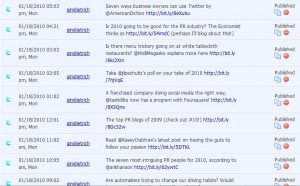
So this is what my scheduled tweets looks like:

SocialOomph

4. Go to Facebook and, using the original blog link (not the shortened one), I let our fans know what they can read about on the blog.

5. Go to LinkedIn and, again, using the original blog link, update my status to drive my connections to the post.

6. Answer all comments you get on your blog. I typically answer on the blog, but also send an email to the commenter thanking them. This not only makes people feel good, but sometimes creates an offline conversation that builds my relationship with that person.

Rinse and repeat each day. I know this sounds like a lot, but I timed it when I wrote this post. It took me eight minutes.

Are there things you do to publicize your blog posts that are not listed here?

How to Write Great Blog Content

Based on the feedback from “Tips for Starting a Blog,” it sounds like you’re ready to attract readers. So let’s get started!

My friend Jeff Lipschultz commented on Monday that he was going to be brash and suggest quality is key to attracting readers. And he is 100 percent correct!

Quality, value, and “what’s in it for me” are what attract readers. If you followed the steps I suggested earlier and asked your network – your friends – to read your blog and pass along to their friends (assuming they liked what they read), then you already have a base of readers. Don’t worry about the number of readers you have on your blog. Worry about providing great content and your friends will be happy to send your blog URL to their friends. And their friends will send to their friends. And pretty soon you have lots of readers who keep coming back for the great value you’re providing.

So how do I provide great content?

I've said this before, but it’s worth repeating. IF YOU BLOG, DO IT CONSISTENTLY. My point here is not that you have a blog. My point is that you become a blogger. And to become a blogger you must post at least three times a week.

A few tricks of the trade that make it easy to provide great content and write multiple times every week:

* Make the copy scannable, which means create lists, use bullet points, insert pictures, use headings and subheads and write about only one topic.

* Write short posts. Research states the average blog reader only stays on the same story for 96 seconds so write for that person.

* The copy only needs to prove the point in a very comprehensive manner. Give readers a reason to comment and, if you have extra points to discuss, do it in response to comments.

* Write a title that is both catchy and has search engine optimization (we'll write here later on how to optimize your blog posts, so check back). Your blogs will last for eternity online and you never know when someone, even two years from now, may want information on your topic. Think about how they might search if they’re doing research on your topic.

* Link to other blogs and news articles that support your thinking. If you do this, find bloggers who aren’t typically quoted or linked to – share the love so the A-listers aren’t the only ones always quoted.

* If you’re passionate about something that is hot in the media right now, wait a week to write the post. It’s hard to gain awareness when you’re in a sea of others writing about the same topic. For instance, if you have value you can add to the Tiger Woods discussion, do it via your blog… and now (a few weeks later) is a good time to do it.

* Avoid jargon. Remember the rule of life: Keep it simple, stupid.

* Make yourself uncomfortable. If you’re not making someone mad with every blog post, you’re not doing it right. Get out of your comfort box. Write controversially. But do it professionally.

* Ask for guest bloggers. I ask experts to provide content for me at least once a week. That’s one less post I have to write, and it provides value to be my friends because my readers become aware of them and it provides value to you because they are experts.

* Ask questions. People love to provide their thinking and insight. And through their comments, you learn more and become that much more wise.

Always, always remember: This is about your readers. This is not about you. Do not be self-serving or promotional. You are providing your thinking. You are providing your intellectual capital. You are providing your passion. And you are providing all of it for free. If people find value in your thinking, they will come back for more.

One more thing: You don't necessarily have to write. I've begun doing one video blog per week to see what kind of effect it has with our readership. It's much more uncomfortable for me than writing, so it takes me longer, but it also attracts people who are visual learners (see my first week's vlog here). If you're more comfortable on video, I suggest starting there.

For those of you who already are bloggers, what would you add to this to create value in order to attract readers?

How to Blog: 10 Tips

I was catching up on my Google reader and subscribed blogs and came across Jeff Bullas, a blogger in Sydney. His blog, JeffBullas.com, discusses ideas and tips for better Internet marketing, including using the social networks as part of your overall strategy.

The blog post that caught my eye, however, is one that has 30 tips for making your blog rock. As I started to comment, I realized I had 10 additional ideas, which I share with you here (but make sure you also read his blog post…then you’ll have 40 ideas).

1. Ask your readers what they want you to write about

2. Let your readers pimp their own blogs in your comments section

3. Ask questions

4. Create contests (which goes along with the poll/survey idea)

5. Install the SEO All In One pack on your WordPress blog

6. Use StumbleUpon and AllTop to increase your readership

7. Create content for Associated Content by republishing your blog posts there (it helps with readership and news outlets will republish your content on their sites)

8. Comment on other blogs and news articles to show your thinking/expertise, but also link people back to your blog

9. Make sure, when you use Twitter to promote your blog post, that you’re tweeting about it more than once a day

10. Subscribe to SmartBrief newsletters, RSS feeds, and Google alerts in order to find ideas for new content

What do you do to make your blogs rock?

Join our

LinkedIn

Discussion Group


Discuss with other Chairs How to Find Members

Back to Top