Starting a Blog: Eight Tips

When I speak to Vistage groups, at least one out of every two of you tells me you want to start a blog, but you don't know how to get started. I always caution that blogs aren’t for everyone and that, once you get started, you can’t stop. It’s a pretty big time commitment and it takes some effort to not only attract readers, but also engage them and keep them coming back for more.

My friend Rieva Lesonsky has a great article at AllBusiness.com about the pros and cons of having a blog. I also love Gary Vaynerchuk’s philosophy that first comes your passion. Your passion may be monkeys and you think no one will want to visit a blog about monkeys. He argues, in “Crush It!”, that no matter what your passion, if people can tell you really care about it they’ll keep coming back. And you won’t mind the time commitment because it’s what you love more than anything else. He also argues that you don’t necessarily need to write a blog. This is important thought – there also are video blogs (called vlgos) and audio blogs (called podcasts).

If, after reading Rieva’s article and figuring out whether or not you can write/video/speak about your passion, you still want a blog, following are some tips for getting started.

  1. Go to WordPress or Blogger and set up an account. I like WordPress because it’s more professional and it has lots of really great templates for you to choose from so you can create something really nice in a couple of hours. Blogger is really easy to use, but it looks more homemade.
  2. Write a list of 30 topics you can write about – just headlines. For instance, I write about social media, the PR industry, and what it’s like to grow a company. Under those three topics, I have 30 bullet points of different headlines. Under social media, I know tomorrow I’m going to write about how to attract readers to your blog, because it follows today’s topic.
  3. Write (or video or speak) five to 10 posts and save them as drafts in your blog. Do not publish them yet.
  4. Schedule an hour a day on your calendar to write your blog post, answer reader’s comments, and comment on other’s blogs about your topic
  5. Publish your first draft on a Monday.
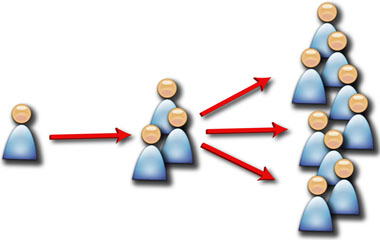
  6. Send an email to your friends, members, clients, colleagues, peers, family, vendors, and partners and ask them to read your blog post. Ask them to check back on Wednesday and again on Friday. Ask them, if they like what they read, to send the link to their network.
  7. Make friends with 10-20 people who already have strong social networks and ask them to help you spread the word. People will do this IF it’s a topic they’re also interested in and know their networks also will like to read. If your blog is about monkeys and I’ve been attacked by a chimp, you won’t want to ask me. Know your audience.
  8. Be prepared to publish at least three times each week. And keep your drafts full – have five to 10 ready to publish at any time. This is hard to do, but trust me when I say that it makes life A LOT easier when you’re overly busy and something else has taken over your hour to blog.

I’m always willing to introduce bloggers to my network if they are consistent, have an interesting topic, and make me think. Think about that as you begin to write (or video or speak) and why someone like me would want to help you (other than I’m nice and help everyone). Then ask!  You’ll be surprised at how willing people are to help.

Tomorrow I’ll blog about how to attract readers, beyond your network and your 10-20 friends who already have communities built on the social networks. In the meantime, if you blog, do you have anything to add for people just starting out?

Gini Dietrich
Advanced LinkedIn: Using the Polls Application

Advanced LinkedIn Tips and Tecniques - Using Polls to gather information

What do your connections think?

Let's assume you have all your current potential new members as 1st degree connections in LinkedIn. Have you considered conducting a short poll among them and then sharing the information?

Perhaps, you could do a poll with the current members of your group?

Jan Vermeiren, in his Networking Coach's Opinion Blog, recently discussed in a blog posting titled "LinkedIn Polls" how to use the LinkedIn Application for Polls.

Imagine creating a poll that went something like this:

  1. What's the greatest issue you face in 2010 as a CEO?
  2. Where is the most common form of information you receive outside of your company to help you in decision making?
  3. On a scale of 1-10 how helpful has an executive coach been in improving your personal and company success?
  4. Have you implemented a best practice in the last year?

You get the idea.

Now you could publish the results to your potential members?

95% of Vistage group members in Denver found the use of an executive coach to be effective.

87% of TEC members in Vancouver who were a member of a TEC Group for 2 years saw a 22% increase in profits.

86% of CEOs surveyed in Dallas solved over 75% of their business issues through peer groups.

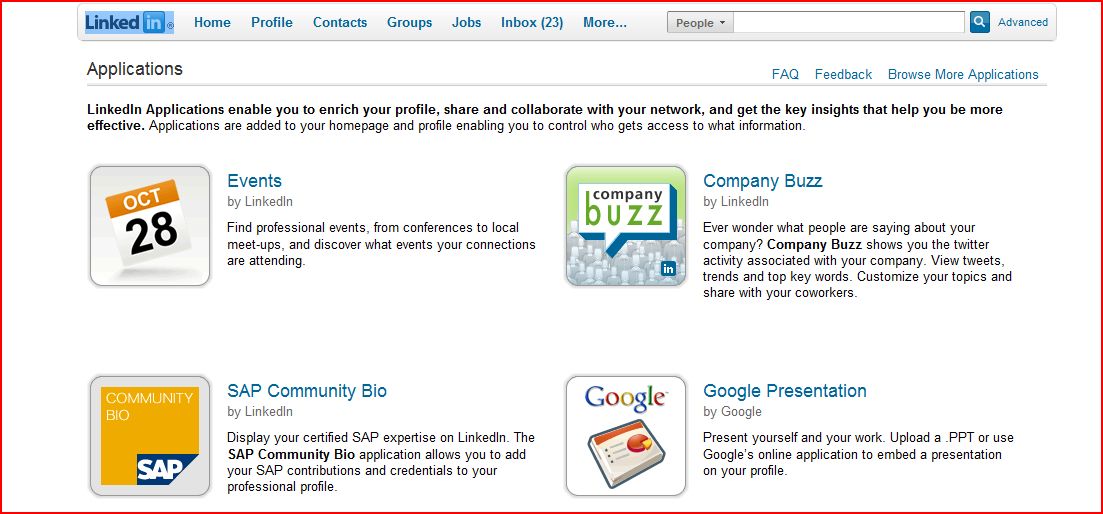
You can find the polls application on your home page under your profile. See the button at the bottom of your applications "See all applications". Click on this button.

LinkedIn Polls - Find the Application on Your LinkedIn Profile

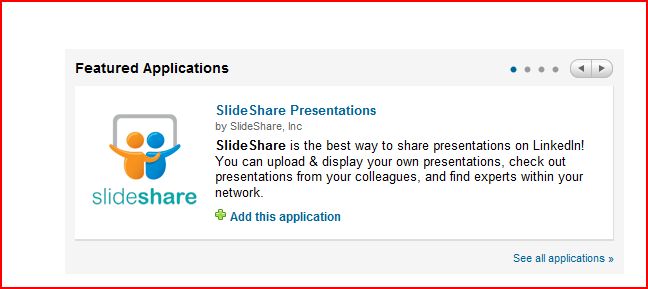
You'll then be taken to the applications page where you can see the various applications LinkedIn offers for you to include on your profile, such as your wordpress blog, twitter stream, slideshare presentations, and polls. Click on the application for polls.

Linkedin Polls - Select the Poll Application

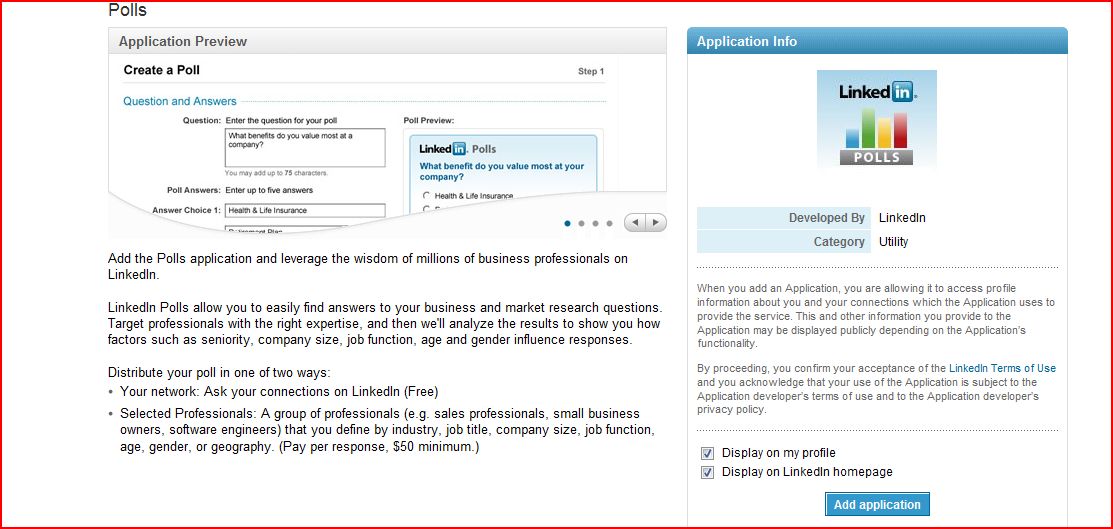
Now you're presented with the poll application. Follow the directions to add it to your LinkedIn Profile.

LinkedIn Polls - The Poll Application Options and Directions

I'm curious if any Chairs have done any surveys among either their prospects or existing members and then used that information to publish an article, blog post, youtube video, slideshare presentation, or a PR release in their local community?

If you've done this before, please send me a link to the article or post so that I can share it with the rest of the Chair Community as an example of using an advanced feature of LinkedIn.

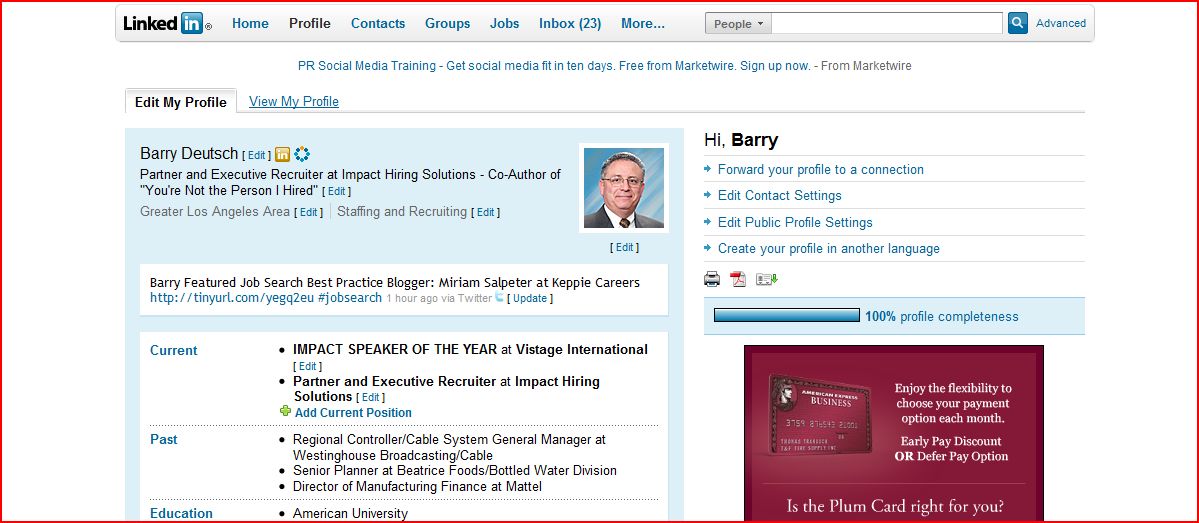
Barry Deutsch

How Can You Stand Out in a Crowded Field?

How Can You Stand Out in a Crowded Field?

How can you stand out in a crowded sea of other leadership bloggers?

How can you establish your brand as unique?

How do you differentiate yourself to the point where CEOs look forward to your postings since they are so different from all the other generic stuff that everyone else posts in their blogs?

Darren Rowse, writing on his blog, Problogger, recently posted an article titled "11 Ways to Add to the Blogosphere and Stand Out From the Crowd".  Actually, it's a video and Darren once again nails it with actionable tactics you could implement tomorrow to start differentiating yourself as the "go-to" leadership guru/expert in your local community.

Take a look and let me know what you think?

Are you doing any of the 11 things that Darren discusses in his video?

Barry Deutsch

http://www.problogger.net/archives/2010/04/02/11-ways-to-add-to-the-conversation-of-the-blogosphere-and-stand-out-from-the-crowd/?utm_source=feedburner&utm_medium=feed&utm_campaign=Feed%3A+ProbloggerHelpingBloggersEarnMoney+%28ProBlogger%3A+Helping+Bloggers+Earn+Money%29

How Can You Be FOUND?

A potential CEO or President searching for executive coaching help and advice

Here's an interesting blog post from Vicki Sullivan who recently wrote an interesting blog post at SullivanSpeakerOnline.com about how professional service providers (retained executive recruiters like me and Vistage Chairs like you) are FOUND when someone is searching for help or advice.

She spoke to the fact that a recent survey from two highly regarded expert organizations identified that two of the most popular ways of being FOUND are through either personal trusted referrals (A primary discussion point of this blog) and awareness and recognition (Duh - that's what we've also been talking about - the importance of personal branding).

To create a sustainable group with a waiting list of CEOs, you've got to master the process of obtaining high quality referrals and branding yourself in your local community so that potential Vistage Members can FIND you.

CLICK HERE for the link to the study Vicki referenced in her blog post.

Barry Deutsch

Creating a Vision Board for Your Dreams and Goals

Ript Vision Board Image

Ript Vision Board Image

Occasionally I come across an application so interesting or dazzling that it's worth a try. I stumbled across this one called Ript for creating a vision board of what I want in the future that it's part fun and part strategic planning.

You've got to try this.

In fact, this might be a great exercise to go through with your members at some point - maybe during a retreat.

The Vision Board idea comes from the blog called MakeUseOf which is one of feeds on how to leverage your time or help improve your efficiency through web applications.

You can read more about the vision boarding idea by clicking here.

If you could create a vision board for your goals of finding and attracting members - what would it look like?

Long Live Email

Long Live Email

Long Live Email

Many have proclaimed the death of email from the rise of social media.

Baloney!

Email will still be the center of communications for most executives. However, the various tools of social media help reinforce and support the importance of contacts, relationships, and communication. Integrating these together with minimum number of databases, tools, and applications is an admirable goal.

The Xobni Blog features an article reinforcing the importance of email and the importance of linking contacts, relationships, and communication management.

Is your use of email increasing or decreasing?

Are you replacing any of your traditional email communication with social media tools?

Are you finding it harder and harder to manage the flow of communication between emails and social media?

Barry Deutsch

Are You Connected to Your Members on LinkedIn?

Leverage your members' networks through LinkedIn

Leverage your members' networks through LinkedIn

If you're not connected to the vast majority of your CEO members, you're making networking much too hard.

Let's break this down into two components:

1. Looking at the networks of your members and their Trusted Advisors.

2. Convincing your members who are not on LinkedIn or barely using it - to get their entire rolodex into it - and to actively use it across their entire organization.

In this blog post, let's first focus on #1 - looking at the networks of your members.

I'm going to lay-out #1 in a step-by-step fashion that you can use for each existing member. You can also extend this concept to your Trusted Advisors (whether you do it formally or informally). Of course, you have a large and extensive network of Trusted Advisors within your local community (if not, that will be the subject of another post).

STEP 1 - LinkedIn Network Identification

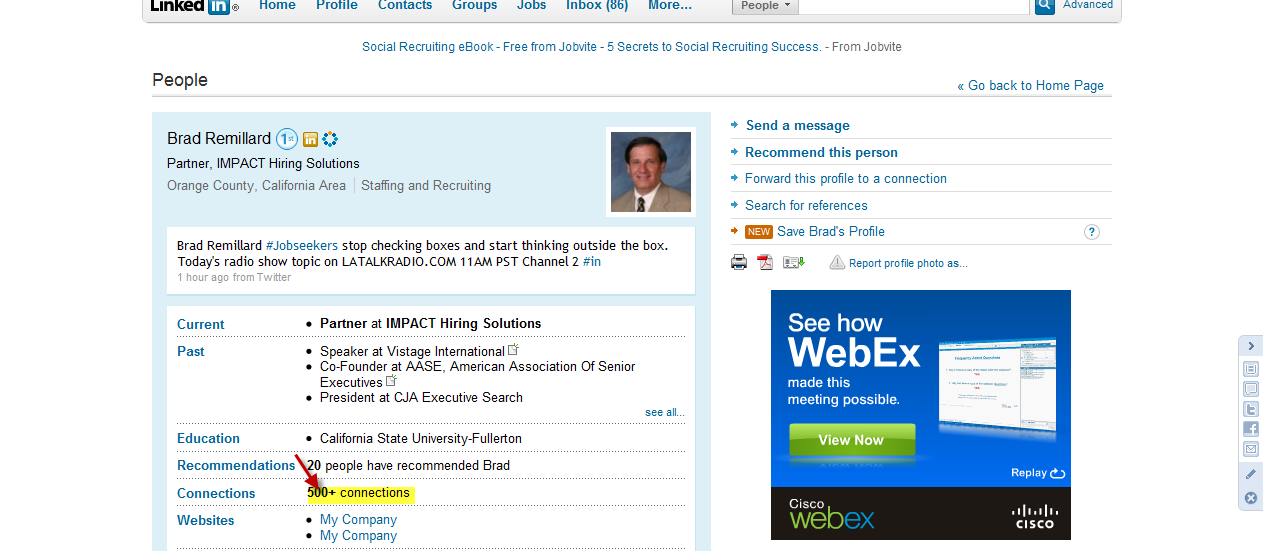
Click on the connections tab of the CEO member. See the example below of my partner -  Brad Remillard's profile  The arrow points at the connections tab.

Highlight of Connections Link on Linkedin Profile

Now you can look at the rolodex of your members and their Trusted Advisors.

Do they know individuals with whom you would like to establish a connection?

Are there CEOs in your local geographic market you don't know  - and you should know them?

Are there Trusted Advisors, such as lawyers, CPAs, HR Consultants, Strategic Planners, Benefit Consultants, and other high Trusted Advisors whom you should be connecting with since they also have strong networks of CEOs and Presidents?

Now that I've identified a few CEOs and Trusted Advisors whom I would like to connect with, what do I do next?

STEP 2 - Action Items on Targeted Contacts

  1. You can send a note through your connection on LinkedIn to the person to whom you would like to be introduced.
  2. Your connection will then forward the note to that individual.
  3. You could call/email the member in your group asking them to make a formal introduction.
  4. You could send an inmail to the person to whom you would like to be introduced.
  5. You could send an invite to connect if you have that person's email address (sometimes the email address is very easy to acquire - we'll cover this in a future blog post).
  6. You could send a message directly without an email address or using one of your precious few inmails if you are members of the same group.

I would recommend the "warm" or "hot" approach of having your member make a personal formal introduction, perhaps setting up a three-way breakfast to facilitate a hand-off of the introduction.

One key question you've got to answer for every contact you come across is whether the connection is a strong relationship where there is a high degree of trust or if the relationship is more of a "secondary" connection where the "bond" is not particularly high, or perhaps it's just an on-line connection.

Once you've got the relationship established for each connection, then you can determine your method of contacting the individual.

LinkedIn has provided a tool that enables you to see a member's rolodex.

Gone are the days when you have to ask "Do you know anyone who might be a fit for our group?" Now you can look at their rolodex on LinkedIn and the question can be "Could you introduce me to this CEO?"

However, there is one little detail I might have skimmed over: Your members need to be on LinkedIn and they've added a significant number of their strongest network connections. We'll discuss in later blog post how to encourage your members to get onto LinkedIn and benefits that can extend across their entire organization.

I know you're probably more focused in the direct connection to CEOs and company presidents, but don't overlook the connections of very high level Trusted Advisers. These are the folks who work directly with the CEOs and Presidents with whom you would like to establish a relationship.

Many CEO-level Trusted Advisors have extensive networks of strong relationships with CEOs, company presidents, and other CEO-level Trusted Advisors.

You'll find a common pattern among your members as to who they have in their connections (on-line rolodex) for CEO-level Trusted Advisors.

Have you taken the step yet of connecting to each of your members and then systematically going through their connections to see if you've missed an important introduction?

Barry Deutsch

Join us in our LinkedIn Discussion Group for CHAIRS ONLY to discuss the extraordinary opportunities in social media to find and attract new members.

What Scares You Most About Blogging?

No need to fear blogging as a Vistage Chair

No need to fear blogging as a Vistage Chair

I'd like to share an article I came across on the RemarkABlogger site. Michael Martine, wrote an article titled "Blogging Fears and How to Overcome Them".

It's a good article worth reading if you are on the fence and hesitating whether to put your proverbial toe in the blogging waters and start doing it.

Michael recaps some of the most common fears in this article series and presents the viewpoint that most people are over-analyzing and over-stressing about blogging.

I hope this one helps push you over the edge to start.

If you would like to get your feet wet (continuing my water theme I've fallen into in this post), shoot me a note on LinkedIn or via our contact form or by email - and I'll be glad to get you started blogging on our Vistage Leadership Community Blog as a guest blogger.

It's a simple little step in the direction of leveraging your expertise and brand in your local community. Maybe you start with a 300-500 word blog article once every week or two just to feel what it would be like in terms of posting, style, and time investment.

An Amazing Spread of Social Media Infographics

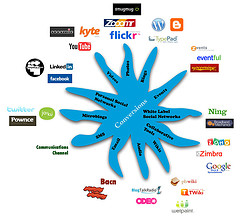
Social Media Opportunities to Engage by Robert Scoble

Social Media Opportunities to Engage

Even though Design Reviver is not one of our featured feeds on this Vistage Chair Site, I stumbled across this aggregation of graphics used to demonstrate trends in social media. I thought you might find it interesting. It might also be something you would like to share with your members. I'm amazed at the "reach" of social media and how big a role it plays in most people's lives on a daily basis.

Click here to view the social media infographics depicting trends in social media and networking.

Graphic courtesy of Robert Scoble

Should You Prepare in Advance for Networking Events?

How to Network at Meetings

How to Network at Meetings

Should you conduct research in advance of a networking meeting, an organized community meeting, or an event in your local town?

Should you know who you would like to meet and little about them before you ever shake their hand.

This is one of the basic elements of classic networking that Harvey Mackay has discussed in almost every one of his books.

Jan Vermeiren, better known as the Networking Coach on the Internet, published a blog article on this precise subject, titled "Why Many People are Frustrated Going to Events".

His article reconfirms what Harvey Mackay always preached to his audiences.

The next time you're about to go into a meeting - regardless of whether it's a trade association dinner meeting, a community non-profit meeting, or a networking meeting, you should have done your homework first:

Which 3 people should you connect with?

What would you like to accomplish with each one?

What are some elements in their background for which you have material for a conversation (kids play soccer, sopurse is PTA President, cousin is on the school board)

Write this down on a 3x5 card to carry with you.

Make sure to update your notes on this person upon immediately leaving the meeting and getting into your car.

Follow-up and reference specifically what you talked about at the event.

Little trivial networking activities that add up to significant referrals and leads over time.

Join our

LinkedIn

Discussion Group


Discuss with other Chairs How to Find Members

Back to Top